How to Use Instagram Broadcast Channels to Build a Loyal Audience
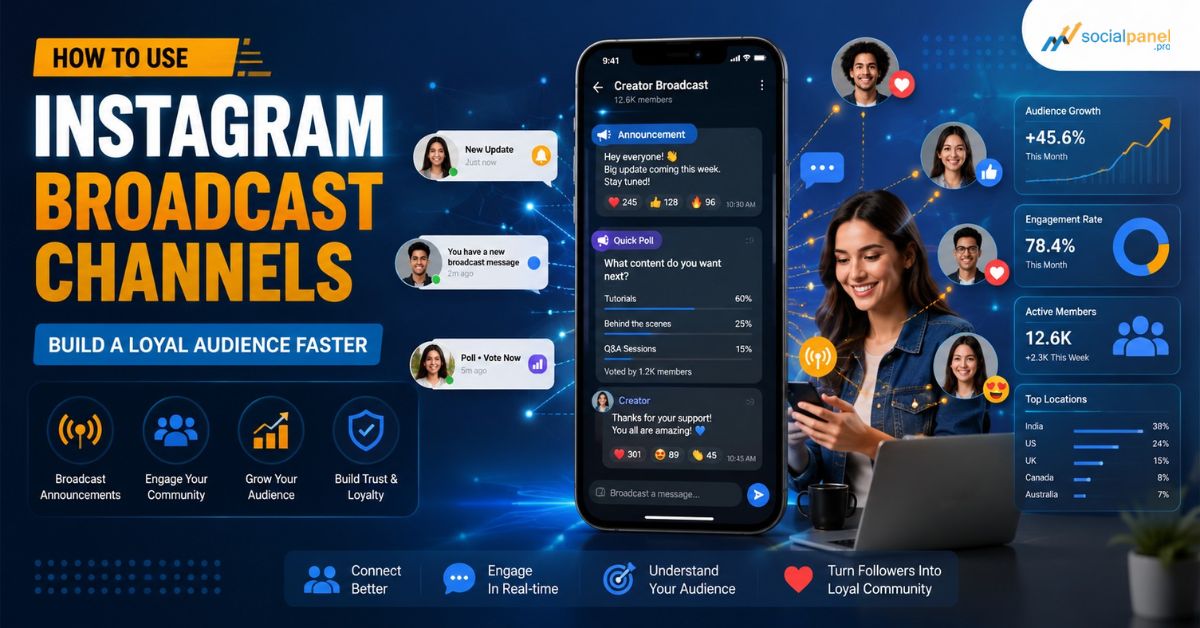
A practical, step-by-step guide to turning casual Instagram followers into a real, engaged community using Broadcast Channels — written for creators, small businesses, and marketers in Bangladesh and beyond.
You post consistently. Your captions are good. Your Reels look sharp. And yet, half your followers never see any of it. That is the quiet frustration behind almost every Instagram account today: a growing follower count that does not translate into a real, loyal community.
The Instagram algorithm decides who sees your content, not you. One day your reach is great, the next day it quietly disappears. That unpredictability is exactly why Instagram Broadcast Channels have become one of the most talked-about features for creators and brands who are tired of shouting into the feed and hoping someone hears them.
A Broadcast Channel is Instagram's own version of a direct line to your audience. No algorithm gatekeeping. No guessing. Just your message, landing straight in the inbox of people who already chose to hear from you.
In this guide, you will learn exactly what Broadcast Channels are, how they differ from Stories, DMs, and Close Friends, how to set one up correctly, and the specific strategies that turn a channel full of silent subscribers into a loyal audience that actually engages, trusts you, and buys from you. We will also look at how this fits into a growth strategy for businesses and creators in Bangladesh.
What Is an Instagram Broadcast Channel?
An Instagram Broadcast Channel is a one-to-many messaging tool that lives inside Instagram Direct. Think of it as a hybrid between a private newsletter and a group chat, except only the channel owner (and any admins they add) can post. Everyone who joins can react with emojis, vote in polls, and reply privately, but they cannot post publicly in the channel feed.
Here is what makes Broadcast Channels different from anything else on Instagram:
• One-way broadcasting: only the owner or added collaborators can send messages to the channel.
• Direct inbox delivery: messages land in the subscriber's DM inbox with a push notification, not buried in a feed.
• Opt-in audience: people choose to join, which means everyone inside is already more interested than an average follower.
• Rich media support: text, photos, videos, voice notes, polls, and question stickers are all supported.
• Public visibility: unless it is a paid-subscriber channel, anyone can view the channel content even before joining, which helps with discovery.
Because subscribers opted in, a Broadcast Channel is one of the few spaces on Instagram where you are speaking to people who have already raised their hand and said, "yes, keep talking to me." That single detail is why channels are so effective for building loyalty rather than just visibility.
Broadcast Channels vs Stories, Close Friends, and DMs
A lot of confusion around Broadcast Channels comes from not knowing how they fit next to features you already use. Here is a side-by-side comparison to make the differences clear.
The key takeaway: Stories and feed posts fight the algorithm for reach. A Broadcast Channel skips that fight entirely, because the moment someone subscribes, your message is guaranteed to land in their inbox. Instagram's algorithm itself keeps shifting every few months, which is exactly why it helps to understand how the algorithm keeps changing and build a channel strategy that does not depend on it staying the same.
How to Create Your First Instagram Broadcast Channel
Before you start, you need a Professional account, either Creator or Business, since Broadcast Channels are not available on personal accounts. Once that is set up, creating a channel takes less than five minutes.
Step 1: Open Direct Messages
Tap the message icon on your Instagram profile, then tap the compose icon in the top right corner.
Step 2: Select Create Broadcast Channel
Choose "Create broadcast channel" from the options. Give it a clear, specific name. Avoid generic names like "Updates" and instead use something that tells people exactly what they will get, such as "Behind the Scenes" or "VIP Deals."
Step 3: Write a Description That Sells the Value
Your description should answer one question in the reader's head: "What do I get if I join?" Mention the type of content, the posting frequency, and what makes it exclusive.
Step 4: Set Discovery and Audience Preferences
Decide whether the channel is visible to all followers or limited to certain groups, and whether new followers automatically see an invite to join.
Step 5: Promote the Invite Link Everywhere
Share the channel's invite link in your Stories, bio, and pinned feed post. The single biggest reason channels stay empty is that the owner creates one and never actively promotes it.
7 Strategies to Turn Subscribers Into a Loyal Audience
Getting people to join your channel is the easy part. Getting them to stay engaged, open every message, and feel like insiders is where real loyalty is built. These are the strategies that consistently work.
1. Make the Content Genuinely Exclusive
If everything you post in your channel is a repost of what is already on your feed, subscribers will mute you within a week. Reserve at least some content, like early product previews, unfiltered thoughts, or first access to offers, exclusively for the channel.
2. Follow an 80/20 Content Mix
A useful rule of thumb: roughly 80% of your messages should deliver value, insight, or entertainment, and only 20% should be direct promotion. Channels that feel like a constant sales pitch lose subscribers fast.
3. Use Polls and Question Stickers Often
Even though Broadcast Channels are technically one-way, polls and question stickers create the feeling of a conversation. Ask subscribers what they want to see next, which of two options they prefer, or what problem they are struggling with. This kind of light interaction is one of the strongest loyalty drivers inside a channel.
4. Reward the People Who Show Up
Recognize milestone subscribers, feature their comments or reactions, or run small giveaways exclusive to the channel. When people feel seen, they stay.
5. Mix Up the Media Format
Text-only updates work, but photos, short videos, and voice notes feel noticeably more personal. Voice notes in particular tend to build a stronger sense of connection because subscribers hear an actual human voice instead of reading another caption.
6. Bring in Collaborators for Guest Moments
You can add collaborators to your channel, which is a great way to bring in an influencer, a teammate, or a partner brand for a limited-time takeover. It keeps the channel fresh and can introduce your channel to a new audience.
7. Check Insights and Adjust
Instagram gives channel admins basic insights: subscriber growth, reactions, and poll participation. If a certain type of post consistently gets more reactions, do more of it. If your subscriber count drops after a certain message type, that is useful data too.
Using Broadcast Channels for Bangladeshi Brands and Creators
Instagram's user base in Bangladesh has grown quickly over the last few years, with most active users concentrated in Dhaka, Chattogram, and Sylhet. That growth means more competition for attention in the feed, which makes a direct, algorithm-free channel even more valuable locally.
A few things work particularly well for a Bangladeshi audience:
• Mixing Bangla and English naturally, the way your audience actually messages friends, instead of stiff, formal English.
• Timing key announcements around local moments like Eid, Pohela Boishakh, or major cricket matches, when engagement across the country spikes.
• Leading with trust signals, since Bangladeshi buyers are especially responsive to social proof such as reviews, follower counts, and visible engagement before they commit to a brand.
that last point matters more than it sounds. A Broadcast Channel builds deep loyalty with the people who already follow you, but it cannot fix a small starting audience problem. A channel invite shared with 300 followers will always grow slower than the same invite shared with 30,000. This is exactly why many Bangladeshi brands pair their channel strategy with a trusted SMM Panel, using it to build a solid follower base first, so the channel invite reaches far more people from day one.
For Instagram specifically, tools like an Instagram SMM Panel can help a new or growing profile gain the initial followers, likes, and reach needed so that a channel invite does not land on an audience of a few dozen people. Once that base exists, the loyalty-building strategies above are what convert those followers into a genuinely engaged community.
This combination is not theoretical. In one documented case, a fashion brand grew its Instagram following by 200% in 30 days after a targeted follower and engagement campaign, well past its original 150% goal, while a lifestyle brand grew from 5,000 to 8,750 followers in three months using a similar approach. Both brands then had a large enough, active enough audience to make a Broadcast Channel worth launching.
Most Bangladeshi brands are not running Instagram in isolation either. The same account often needs Facebook, YouTube, and TikTok growing side by side, which is why tools that cover every major platform under one dashboard tend to work better than juggling separate tools for each network.
This same test-and-build pattern shows up across the country. Many Bangladeshi entrepreneurs already use SMM panels to test new brand ideas before committing real budget, pairing a small paid push with organic community-building, exactly the same logic that makes a Broadcast Channel worth launching only once there is a real audience behind it.
For Agencies Managing Multiple Client Channels
If you manage Broadcast Channel strategy for several clients at once, funding each account one by one gets expensive and slow. Agencies and freelancers in this position often switch to an SMM reseller panel, which gives wholesale pricing and API access to run growth campaigns for every client account from a single dashboard instead of paying retail rates for each one separately.
Common Mistakes That Kill Engagement in a Broadcast Channel
• Posting only promotions. If every message is a sale, subscribers stop opening notifications entirely.
• Going silent for weeks. Inconsistent channels lose relevance fast; subscribers forget why they joined.
• Ignoring poll results. Asking for feedback and never acting on it signals that the "two-way" feel is fake.
• Buying fake or bot subscribers. A channel full of inactive accounts will never react, vote, or convert, and it can quietly hurt your credibility.
This is closely tied to a wider issue worth understanding before you invest in any kind of growth campaign: the difference between real followers vs bot followers and what a genuine engagement source actually delivers. A channel full of real, interested people will always outperform a bigger channel full of silent, inactive accounts.
• Never promoting the channel. A channel that exists but is never mentioned in Stories, bio, or posts will stay empty.
Account safety is worth a closer look too, especially if you plan to combine any paid growth with your channel strategy. We break down exactly whether SMM panel followers can get your account banned in a separate guide, so you know the real risk before you mix paid and organic growth.
How to Grow Your Broadcast Channel's Subscriber Base Faster
Growing a channel is really two separate problems: growing the follower base you invite from, and converting a share of those followers into channel subscribers.
Convert More Followers Into Subscribers
• Pin the channel invite as your first Story highlight so new visitors see it immediately.
• Mention one specific benefit of joining in your feed caption, not just a generic "join my channel" line.
• Use a countdown sticker before a launch to create urgency around joining before a specific date.
Grow the Follower Base Itself
This is where the classic debate of buying followers vs organic growth becomes relevant. Pure organic growth is reliable but slow, often taking months to reach a meaningful audience size. A blended approach, where paid growth tools give a new or stagnant profile the initial push, and organic content and channel engagement keep people around long-term, tends to work best in practice for Bangladeshi creators and small businesses working with limited time and budget.
Since 2020, SocialPanel.Pro has helped more than 29,000 Bangladeshi businesses, agencies, and creators grow across Facebook, Instagram, YouTube, TikTok, and more, which is the kind of track record worth checking before trusting any growth partner with your account.
How to Measure Broadcast Channel Success
Instagram's built-in channel Insights show subscriber count over time, reactions per message, and poll participation. A simple way to judge whether your channel is actually building loyalty, not just size, is to track an engagement rate rather than raw subscriber count:
Engagement Rate = (Reactions + Poll Votes + Replies) ÷ Total Subscribers × 100
A channel with 2,000 subscribers and strong reaction rates on every message is doing far more for your brand than one with 10,000 subscribers who never open a notification. Track this monthly and adjust your content mix based on what actually moves the number.
Key Takeaways
• Broadcast Channels bypass the algorithm entirely, delivering messages straight to an opt-in, already-interested audience.
• You need a Professional (Creator or Business) account to create one.
• Loyalty comes from exclusivity, consistency, and genuine two-way-feeling interaction through polls and questions, not from subscriber count alone.
• An 80/20 mix of value versus promotion keeps subscribers engaged instead of muting your channel.
• A small starting follower base limits channel growth, which is why many Bangladeshi brands pair channel strategy with proper Instagram growth support.
• Track engagement rate, not just subscriber count, to judge whether your channel is actually building loyalty.
Conclusion
Instagram Broadcast Channels are not a replacement for great content, but they are one of the most direct tools Instagram has ever given creators and brands to build real loyalty instead of chasing algorithmic reach. Set one up with a clear purpose, protect it from becoming another sales channel, and treat your subscribers like the insiders they chose to become. Do that consistently, and a Broadcast Channel can turn into the most engaged, most valuable segment of your entire audience.
If you want help pairing your Broadcast Channel strategy with the right follower growth plan for your Bangladeshi audience, get in touch with our team and we will help you map out a plan that fits your budget and platform mix.
Frequently Asked Questions
What is an Instagram Broadcast Channel?
It is a one-to-many messaging tool inside Instagram Direct where only the channel owner or admins can post updates, while subscribers can react, vote in polls, and reply privately.
How is a Broadcast Channel different from a Close Friends story?
Close Friends content disappears after 24 hours and depends on Stories visibility. A Broadcast Channel delivers permanent, direct-inbox messages that do not expire and are not limited to a pre-selected list.
Do I need a certain number of followers to create a Broadcast Channel?
No fixed minimum is required for most Professional accounts today, though the feature originally rolled out to larger creator accounts first. A small, genuinely engaged audience is enough to start.
Can subscribers reply inside a Broadcast Channel?
Subscribers cannot post publicly in the channel feed, but they can react with emojis, vote in polls, and send private replies to the owner.
How often should I post in my Broadcast Channel?
Most successful channels post two to four times per week. Quality and relevance matter far more than frequency; posting only to stay active without real value tends to backfire.
Can I create more than one Broadcast Channel?
Yes. You can run multiple channels under one account to speak to different audience segments, such as one for general updates and another for a specific product line.
Is the Instagram Broadcast Channel feature available on desktop?
No. Broadcast Channels are currently only available through the Instagram mobile app.
Can I see exactly who joined my channel?
You can see the total subscriber count and general activity like reactions and poll votes, but Instagram does not show you a read receipt for individual messages.
How do I invite people to join my channel?
Share the channel's invite link through your Stories, your bio, and a pinned feed post. You can also add a link sticker directly to a Story.
Can businesses in Bangladesh use Broadcast Channels effectively?
Yes. With Instagram usage rising quickly across Dhaka, Chattogram, and Sylhet, a Broadcast Channel gives Bangladeshi businesses a direct, algorithm-free way to reach their most engaged local followers.
What type of content performs best in a Broadcast Channel?
Behind-the-scenes updates, early access announcements, polls, and short voice notes consistently perform well because they feel personal and exclusive rather than promotional.
Can I edit or delete a message after posting it in my channel?
Yes, channel owners can delete messages after posting. Editing options are limited, so it is worth proofreading before sending, especially for polls, since results reset if a poll is deleted and reposted.
Do Broadcast Channels directly improve my Instagram algorithm ranking?
Not directly, but the engagement they generate, such as followers sharing your channel content to their Stories, can indirectly support wider visibility for your account.
Is it a good idea to grow my follower base before starting a Broadcast Channel?
Generally yes. A channel invite reaches more people and grows faster when your existing follower base is already sizeable and active, which is why many creators build up their following first before investing serious effort into a channel.